Solutions
Setting up a 1C server
How to organize work with 1C Accounting at an enterprise
Modern enterprises with more than one employee in the accounting department face the need to organize work with “1C Accounting/Enterprise” for several people simultaneously. To achieve this, it is necessary to configure 1C Accounting in such a way that employees always have access to 1C databases, and work with data is fast and does not interfere with other users.
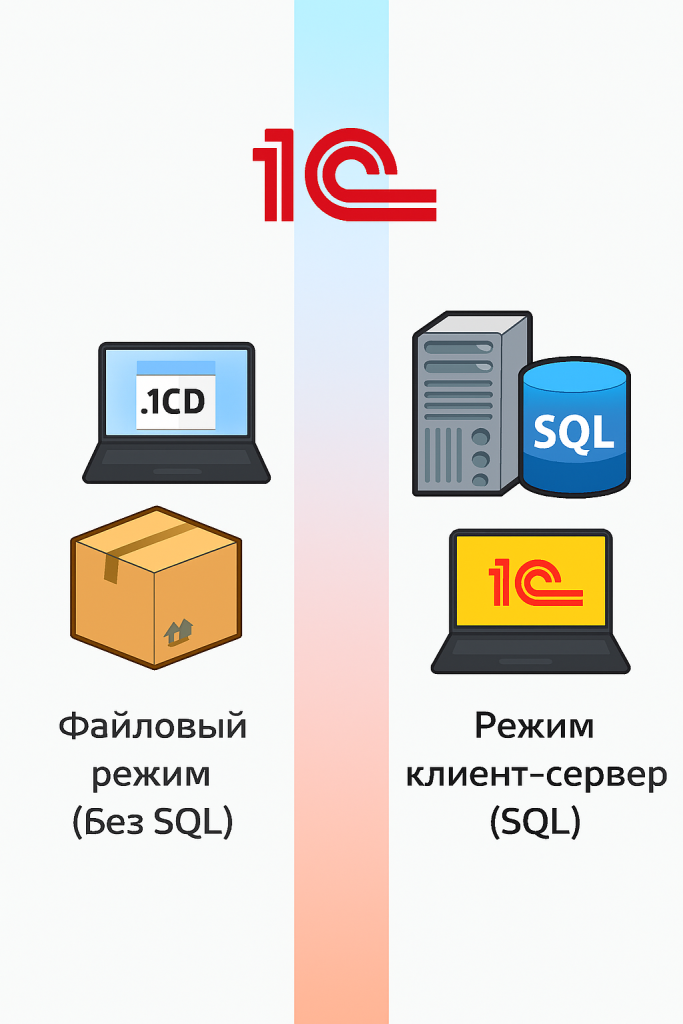
There are two methods (modes) of operation: file-based and client-server.
1C in File Mode (without SQL)
This is when the database is stored in a single file (.1CD), and a DBMS server is not used.
Features:
- All data and metadata are located in one file.
- Access to the database occurs directly through the file system.
- Suitable for small organizations with 1–5 users.
Pros:
- Simplicity: no need to administer a database server.
- Quick launch: simply copy the file and open it.
- Minimal infrastructure costs.
Cons:
- Size limitation (the database usually starts to “slow down” at 1–5 GB).
- Limitation on the number of users (locking conflicts begin with 5+ users).
- No direct access to data via SQL queries.
- More difficult to organize backup and fault tolerance.
1C on SQL (Client-Server Mode)
In this case, the database is stored in a full-fledged DBMS (MS SQL Server, PostgreSQL, Oracle).
Features:
- Data is stored in DBMS tables.
- 1C operates through an application server that communicates with the SQL server.
- Suitable for medium and large companies (10 users and up).
Pros:
- High performance with large volumes of data.
- Ability for hundreds of users to work in parallel.
- Flexible configuration of backup, replication, and fault tolerance.
- SQL queries can be used for integration with other systems and BI..
Cons:
- Requires a separate server and administration.
- MS SQL licenses can be expensive (although PostgreSQL is free).
- More complex configuration and support.
To work with 1C, you must also choose the correct and suitable access method. There are three main methods:
- Via local network from the 1C program interface, the so-called “thin client.” Suitable for working inside the office.
- Remote access via RDP (requires setting up a terminal server; more details on terminal server setup can be found here), VPN, or the cloud. Relevant for working from branches or from home.
- Access via Web interface from anywhere in the world where there is Internet. A universal and the most secure access option.
Our specialists will help you choose the most suitable option for your organization. Following that, we can implement any of these options and provide qualified technical maintenance moving forward.